

Luminar Legacy Campaign Has Started: Desktop Plan for €59
Special pricing for eligible owners of previous Skylum products.
We’re excited to let you know that the Luminar Legacy Campaign starts today, September 21!
Owners of previous Skylum products — including Luminar AI, Luminar 4, Luminar 3, Luminar 2018, Aurora HDR, and other eligible legacy products — may be eligible to upgrade to Luminar at the special €59 Desktop Only price instead of €129.
Please note: The special €59 Legacy offer is available to eligible users once they log in to their Skylum account. New users will see the standard offer instead.
📅 Campaign timeline: September 21, 15:00 (EEST) – October 16, 2026
Get the Luminar Legacy Offer →Disclosure: We may earn a commission from purchases made through our affiliate link. This does not affect the price you pay.
It seems like a handful of free and affordable tools can handle most of what you need when running a one-person content business. We looked at dozens of options across SEO, writing, research, and other areas, and the pattern is pretty clear.
Paid versions only make sense once you hit a real bottleneck. Until then, you may be paying for features you simply don’t need.
Our breakdown covers what’s genuinely free, what the paid version actually gives you, and where paying for an upgrade may not be worth it. In some areas, you can skip paying entirely.
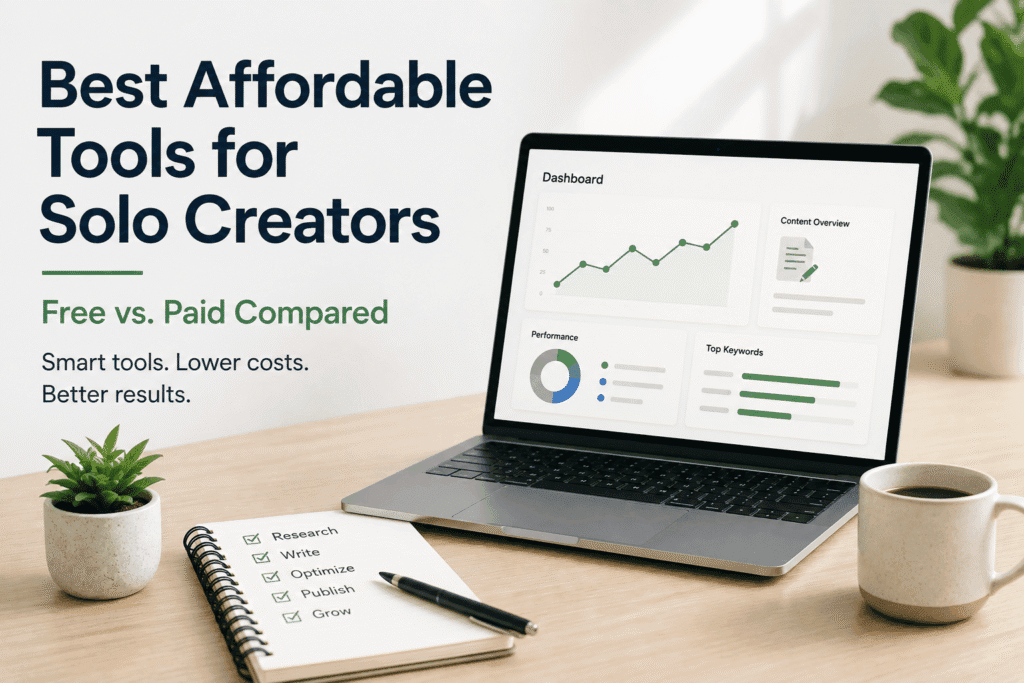
Table of Contents
- Why a Lean Stack Beats an Expensive One
- Free & Affordable SEO Tools
- Content Creation & Writing Tools
- AI Research & Note-Taking
- Website & Hosting Foundations
- Privacy, Security & Research Browsing
- Client & Workflow Management
- Visual Content on a Budget
- Best Affordable Tools for Solo Creators: Free vs. Paid
- FAQ
Why a Lean Stack Beats an Expensive One
A lean stack forces clarity: you spend money only where a free tool genuinely can’t keep up, and you spend time on the writing and research that actually move rankings — not on managing software. Most all-in-one platforms charge a flat monthly fee for a bundle of features a solo creator will only ever touch a fraction of. Picking the free or entry-level tier of a focused tool for each job almost always beats paying for a suite built for agencies and teams.
The tools below are grouped by the actual jobs a solo creator needs done: finding what to write about, writing it, checking it’s technically sound, and getting it in front of people — without a marketing budget behind it.
Free & Affordable SEO Tools
You don’t need an expensive suite to do solid on-page and technical SEO. Here’s what covers 90% of what a solo blog needs:
- Rank Math (Free) — on-page SEO scoring, sitemaps, schema markup, and redirects, all inside WordPress. It’s one of the most complete free SEO plugins available, and the free tier alone covers what most solo blogs need.
- Google Search Console — free, non-negotiable. It’s the only place you’ll see real indexing status, search queries, and click data straight from Google.
- Bing Webmaster Tools — takes ten minutes to set up and gets you indexed on a search engine most solo creators ignore entirely.
- Google Autocomplete & “People Also Ask” — the fastest free keyword research you’ll find. Type your topic into Google and let it finish the sentence.
- AlsoAsked (free tier) — turns “People Also Ask” data into a visual question map for content planning.
If you’re outsourcing pieces of your SEO work rather than doing it yourself, we’ve broken down which Fiverr SEO services are actually worth paying for and which ones you can skip.
Content Creation & Writing Tools
Writing tools are where solo creators overspend the most. Here’s what actually earns a spot in the workflow:
- Claude or ChatGPT (free tiers) — for outlining, restructuring rough drafts, and stress-testing an argument before you commit it to a full article. Treat these as a thinking partner, not an autopilot — original insight and first-hand experience are what search engines and readers both reward.
- Grammarly (Free) — catches the typos and clunky phrasing your own eyes skip past after the tenth read-through.
- Hemingway Editor (Free, web version) — flags overly complex sentences, a genuinely useful check for readability scores.
- Google Docs — still the simplest free way to draft, comment, and version content before it goes into WordPress.
AI Research & Note-Taking
If your content work involves interviews, calls, or research sessions, an AI note-taker saves hours of manual transcription. We tested and reviewed Fieldy AI as a note-taking tool for exactly this kind of workflow — it’s a good example of a category where a modest subscription replaces what used to require a virtual assistant.
Website & Hosting Foundations
Before you touch SEO tools, the site itself needs to be fast, clean, and cheap to run:
- Free website builders — if you’re just starting out and not ready to commit to WordPress, we compared the realistic free website builders for beginners, including where each one hits a wall.
- Free WordPress themes — once you’re on WordPress, you don’t need a premium theme to look professional. Our picks for the best free WordPress themes cover speed and flexibility without the price tag.
- Budget hosting — a solid budget host paired with a free CDN tier and a caching plugin like LiteSpeed Cache can handle Core Web Vitals without needing a dedicated performance plugin subscription.
Privacy, Security & Research Browsing
A chunk of SEO work is competitor research and browsing — and that’s worth doing with some privacy hygiene:
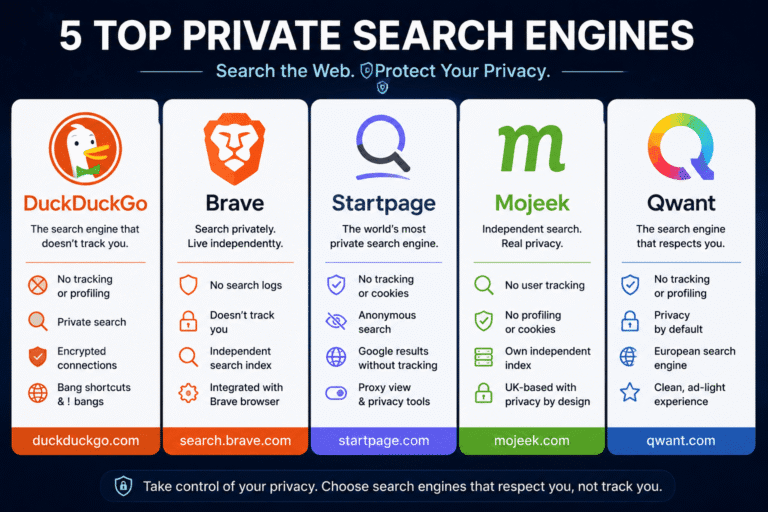
- Private search engines — we tested and compared five search engines that don’t track your data, useful for unbiased competitor research without ad personalization skewing your results.
- A VPN — beyond privacy, a VPN lets you check how your content and SERPs look from other countries, which matters if you write for an international audience. Here’s what a VPN actually does and why it matters, and our review of NordVPN for streaming and research use.
Client & Workflow Management
Once you’re juggling more than one client, project, or affiliate partner, spreadsheets stop working:
- ClearCRM — a simple, affordable CRM built for small teams and solo operators rather than enterprise sales departments. We reviewed it in detail here.
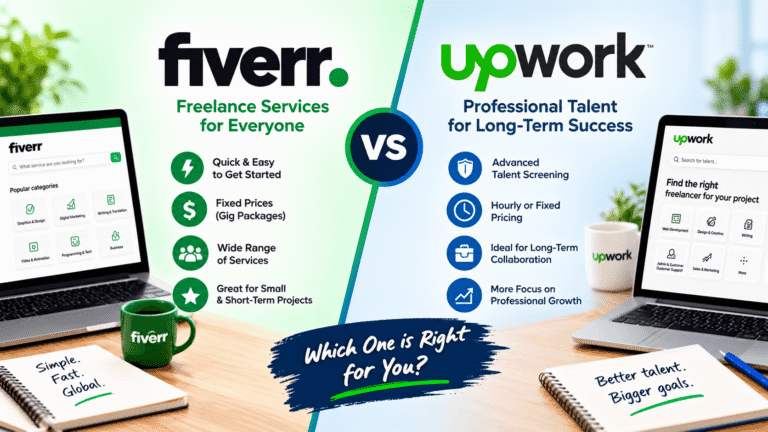
- Fiverr — for the specific tasks that don’t justify a full-time hire — a logo, a technical SEO fix, a batch of images. Our breakdown of the best Fiverr services for bloggers and affiliate marketers covers where outsourcing actually pays for itself.
Visual Content on a Budget
Original images beat stock photos for both trust signals and AI-search visibility:
- Canva (Free) — covers social graphics, featured images, and simple infographics without a design background.
- Luminar Neo — our full review of this AI-powered photo editor covers where it beats Photoshop for solo creators who don’t need a full professional suite.
- Aperty — for one-click portrait and photo edits, we found it genuinely useful for quick author photos and product shots — full review here.
Best Affordable Tools for Solo Creators: Free vs. Paid
Here’s the honest comparison: what the free version of each tool actually covers, what the paid tier unlocks, and when the upgrade is worth it.
| Tool | Free Version | Paid Version | Worth Upgrading When… |
|---|---|---|---|
| Rank Math | On-page SEO scoring, sitemaps, schema markup, redirects, GSC integration | Keyword rank tracking, Content AI, advanced schema types, deeper analytics | You’re actively tracking rankings for dozens of keywords, not just publishing |
| Google Search Console | Full indexing, query, and click data | N/A — always free | Never — use it from day one |
| Bing Webmaster Tools | Full indexing and query data | N/A — always free | Never — ten minutes of setup, no downside |
| AlsoAsked | Limited daily searches, single-level question maps | More searches per day, deeper question maps, exports | You’re planning content in bulk rather than one topic at a time |
| Claude / ChatGPT | Capped daily usage, standard models | Higher usage limits, top-tier models, more context | Writing is a daily, not occasional, part of your workflow |
| Grammarly | Spelling, grammar, and basic clarity checks | Tone detection, fluency, and deeper style suggestions | You’re writing client-facing copy where tone matters |
| Canva | Templates, stock elements, standard exports | Brand kit, background remover, bulk resizing, premium assets | You’re producing graphics often enough that time saved beats the subscription cost |
| Fieldy AI | Limited free usage | Ongoing transcription and note-taking subscription | You’re doing recurring interviews or client calls, not a one-off |
| ClearCRM | Limited free tier | Full CRM at small-business pricing | You’re managing more than one client or project at a time |
| Luminar Neo | Trial only | One-time license or subscription | Your content is genuinely photo-heavy |
| NordVPN | No meaningful free tier | Subscription | You need it for international SERP checks or privacy, not just occasionally |
| Private search engines | Fully free | N/A for most | Never — use the free version for unbiased research |
FAQ
What’s the cheapest way to do SEO as a solo creator?
Start with Rank Math’s free plugin, Google Search Console, and Bing Webmaster Tools. Combined, they cover on-page optimization, sitemaps, schema, and real indexing data at zero cost.
Do I need paid SEO tools to rank on Google?
No. Paid tools like Ahrefs or SEMrush speed up competitive research and backlink analysis, but they don’t write better content or fix technical issues for you. A solo creator can rank using free tools plus consistent, first-hand, well-structured content.
What free tools replace Ahrefs or SEMrush for solo creators?
Google Search Console covers your own site’s keyword and indexing data for free. For competitor and topic research, Google Autocomplete, “People Also Ask,” and AlsoAsked’s free tier cover most of what a solo blogger needs without a paid subscription.
Is Rank Math’s free version enough for solid on-page SEO?
Yes, for the vast majority of solo bloggers. The free version handles focus keyword scoring, meta titles and descriptions, sitemaps, and schema markup — the core on-page fundamentals. The paid version mainly adds keyword rank tracking, Content AI, and advanced analytics that matter more at scale.
How do I manage content and clients without expensive software?
An affordable, purpose-built CRM like ClearCRM covers task and client tracking without the complexity (or price) of enterprise sales software. Pair it with Fiverr for one-off tasks instead of hiring full-time.
When should a solo creator start paying for premium tools?
Once a free tool is costing you more time than the subscription would cost in money — for example, manually transcribing hours of interviews instead of paying for an AI note-taker. Upgrade job by job, not all at once.
Every tool on this list is one we’ve actually tested and used ourselves — not a roundup pulled from other “best tools” lists. If you want a structured way to apply all of this to your own review or content workflow, our Affiliate Product Review Checklist walks through the same SEO and E-E-A-T steps we use ourselves.






Please keep comments helpful and respectful.
No affiliate links, promotional links, or YouTube URLs.
Let’s keep our community clean and supportive! 💙